


 Using ChatZilla for Geocaching Maine chat
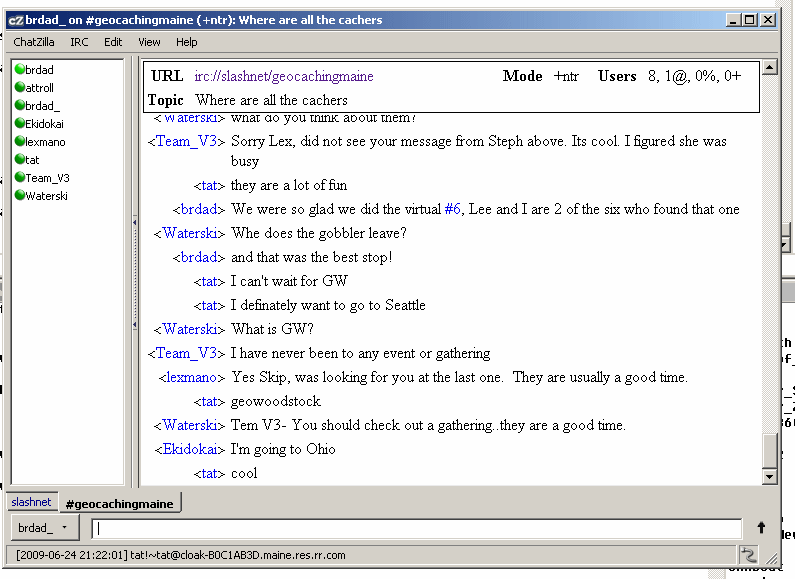
ChatZilla is a neat little IRC chat client for Firefox. It is a great alternative to the web chat. This article will show how to easily set it up and have it automatically log into Geocaching Maine chat whenever you start it. These instructions assume you already have an updated version of Firefox installed on your computer.
Chatzilla
1. Go to the ChatZilla download page by clicking the link above.
2. Click the Add to Firefox link on that page.
3. Click on the Install Now button in that window.
4. Click on the Restart Firefox button to complete the installation.
5. From the Firefox Tools menu, select Chatzilla.
6. From the ChatZilla menu, choose Preferences.
7. Enter your nickname in the Nickname box and then click OK.
8. On the Chatzilla screen where is says Available Networks, click on Slashnet. After a few seconds and some scrolling text on the screen, you will be connected to the Slashnet server.
9. In the box at the bottom of the chat window, type /join #geocachingmaine.
10. Once connected to the chat, right click the #geocachingmaine tab and choose Open This Channel at Startup.
That should do it. From now on you should be able to select ChatZilla from the tools menu and it should automatically log into the Maine chat. If you have a desire to log into the national chat as well, you can repeat step 9 (as well as 10 if you want to automatically log in) using #geocache.

 Reply With Quote